


White Noise: Baby Sleep Sounds
4.6512.00 Reviews
App Specs
- Version
- 1.8.14
- Updated On
- License
- Free
- Downloads
- 1,000,000+
- Developer
- DOSA Apps
- Categories
- Parenting
- Platform
- Android, iOS
Screenshots
 Analysis by AppCompare
I judge a baby-sleep sound app less by how many sounds it can list than by how easy it is to use at the exact moment a child is unsettled. White Noise: Baby Sleep Sounds, a free parenting app from DOSA Apps, is built around that practical need: a familiar, steady sound that can help make a bedtime or nap routine feel more predictable. I’d treat it as a useful aid, not a promise that every baby will fall asleep on cue.
When the connection matters
Sound apps can behave differently depending on whether playback relies on a live connection, and that matters most when you are trying to keep a room calm. Before making any sound part of your regular routine, I’d open the app while connected, choose what you want to use, and check that playback continues as expected in your usual setting. That small test is more useful than discovering a connectivity snag after you have settled a baby into a cot.
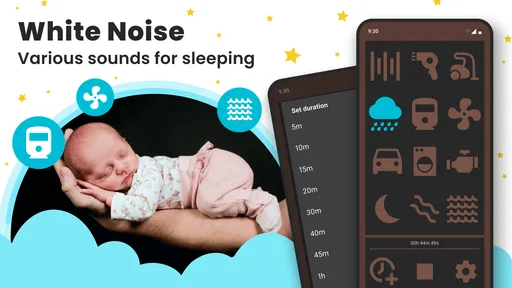
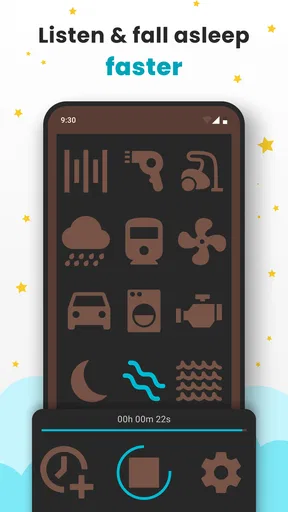
The app’s focus is on white noise and other soothing sounds, including rain and fan-like noise. Those familiar textures can be a practical alternative to searching for a new audio track each night. Still, I wouldn’t assume every sound or function behaves identically in every network situation. If you expect to use it away from home, test it ahead of time rather than making a first attempt in a car, hotel room, or relative’s house.
Built for interrupted routines
Parents rarely use a sleep aid in ideal conditions. You might be carrying a baby, dimming lights, or trying to settle a toddler while another family member gets ready for bed. In that moment, a short route to playback matters more than a long catalogue description. The app’s simple purpose is a strength here: it is meant to provide a sound bed, not turn bedtime into another complicated task.
For a realistic routine, I’d set up the sound before beginning the final feed or story, keep the phone in a stable place, and avoid changing tracks once the child is close to sleep. That reduces the chance of screen light, taps, or a sudden change in sound becoming part of the bedtime disturbance. If you are using a phone speaker, try the setup at a modest volume and from the position where the phone will actually stay.
What to do when playback is interrupted
A sound that stops unexpectedly can be more disruptive than no sound at all. If playback drops, I’d first check the app and the phone’s audio state rather than immediately raising the volume or restarting several sounds at once. On a night when a connection is unreliable, having a familiar non-app fallback—such as a quiet, consistent household sound or a separate sound source you already trust—can prevent the phone from becoming the center of the routine.
That is also why I’d avoid experimenting with settings during a difficult settling period. Try a sound and any controls when the baby is calm, so you know what the app does before relying on it. If the phone is needed for calls or other audio, consider whether interruptions from ordinary phone use could make this a poor fit for that particular night.
Worth Reading Before You Choose

EA SPORTS FC Mobile 26 Is a Bigger Football Game, but It Takes Time

Flipboard Shows What News Apps Must Do Beyond the Feed

Switching to Android Auto Means Rethinking Your Driving Routine

Google Calendar Makes a Crowded Week Easier to Manage

Ludo King Makes the Most of the Minutes Between Plans

Baby Panda World Brings Quick Play to Modern Phones, but Its Game Library Feels Busy
Use it without turning bedtime into screen time
Keeping the experience data-conscious is mostly about planning: decide on the sound before bedtime, then leave the phone alone. You do not need to browse while the baby is settling, and keeping the display out of view helps make the app function as background audio rather than another source of stimulation. If you have a limited mobile plan, check your own connection use during a test session instead of assuming every sound has the same network needs.
I’d also keep the device safely out of the child’s reach and avoid placing it somewhere it can be covered by bedding or soft items. The useful part is the sound, not having the screen beside the cot. This simple placement choice makes the setup easier to manage and keeps the phone from becoming a toy or an accidental distraction.
Who will get the most from it
This app makes most sense for a caregiver who wants a straightforward sound option and is happy to use a phone as part of a bedtime routine. It may be especially handy when the usual household sounds change from room to room, or when a parent wants to repeat a familiar audio cue during naps and nighttime settling. The app is less compelling if your child dislikes steady noise, if you prefer a dedicated sound machine, or if phone interruptions would make playback unreliable.
Compared with playing a random video or searching for a sound online each evening, a dedicated white-noise app keeps the task focused on sleep audio. A physical sound machine may be simpler if you want a separate device that does not compete with calls, messages, or other phone use. On the other hand, an app can be convenient when your phone is already with you and you want to try a sound before buying another piece of equipment.
Where it fits among parenting tools
White noise is only one part of a sleep routine. It can provide a consistent background, but it cannot replace feeding, comfort, a suitable sleep environment, or attention to a baby’s cues. I would use it as a small, repeatable signal that bedtime is beginning—not as a way to mask every sound in the home or to keep increasing volume when a child remains unsettled.
It is also worth remembering that a sound that calms one child may bother another. I’d begin with a gentle setting, observe the response, and stop if the baby seems uncomfortable. The best result may be no sound at all, or a different routine; convenience does not make the app a universal answer.
The app has a 4.6 average from around 25,000 ratings and has been installed over a million times. Those figures suggest many people have tried it, but they cannot predict how your child will respond. I’d use them as context, then make the decision based on whether the available sounds and controls suit your own routine.
It is free to start, with optional in-app purchases ranging from $0.99 to $99.99 per item. That range makes it sensible to explore the basic experience before spending anything, and to check what an optional purchase adds before confirming it. The app is rated for Everyone, and its current version is 1.8.14; it requires Android 8.0 or later.
For a caregiver choosing between this and a quick online search, I’d try the app if having a dedicated place for soothing sounds makes bedtime simpler. I’d choose a standalone sound machine instead if you want the phone completely out of the process. Either way, test your preferred setup while things are calm, keep the sound at a comfortable level, and have a fallback for nights when the phone or connection is not cooperating.
What’s in the Box?
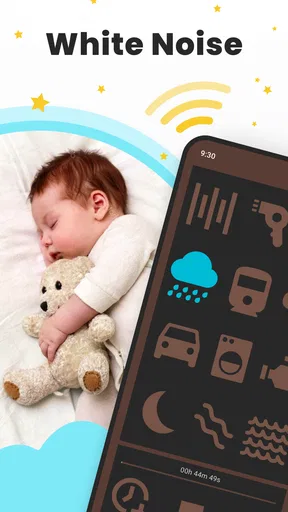
When you first open White Noise: Baby Sleep Sounds, you'll be greeted by a clean and user-friendly interface. The app is all about simplicity, which is exactly what you need when you’re half asleep, holding a fussy baby.
A Symphony of Soothing Sounds
The app boasts an impressive collection of white noise sounds, from the gentle hum of a fan to the rhythmic crashing of ocean waves. There are also more unique options like womb sounds, which are particularly comforting for newborns. I found the range of sounds to be quite comprehensive, catering to different preferences. You can even mix and match to create a personalized soundscape for your baby.
Customizing Your Experience
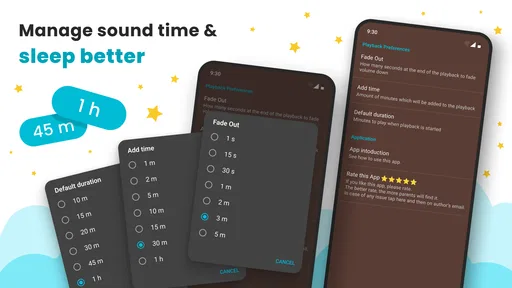
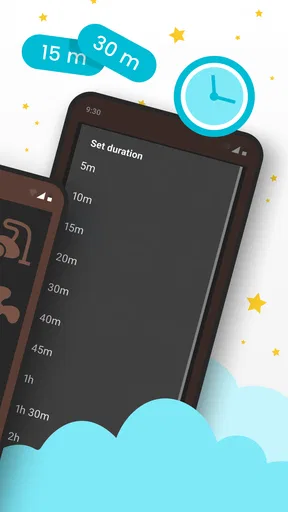
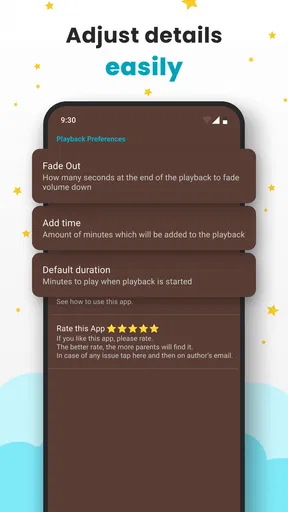
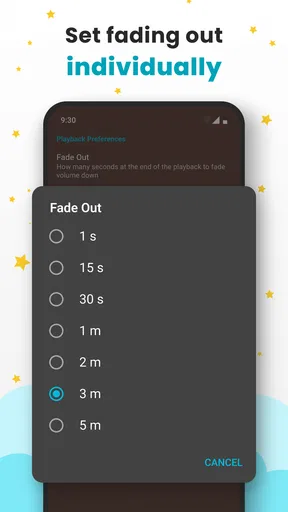
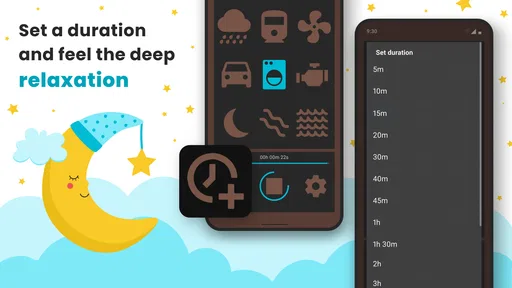
Customization is key here, and the app does not disappoint. You can adjust the volume of each sound, set timers, and even create loops for continuous play. This means you can have a gentle rainstorm playing all night without having to worry about it stopping abruptly and waking the baby. Handy, right?
“The ability to customize and mix sounds is a game-changer.”
Intuitive and Easy to Use
One of the standout features for me was the app’s ease of use. Everything is laid out in a straightforward manner, which is a blessing when you’ve got a crying baby in one arm and your phone in the other. No complex menus or hidden settings, just a tap, and you’re good to go.
All About Accessibility
What’s great is that the app works offline, so you can take it with you everywhere—perfect for car rides or trips to Grandma's. No need to worry about finding a Wi-Fi signal or burning through your data plan.
Why It Stands Out
Unlike some other apps that bombard you with ads, White Noise: Baby Sleep Sounds keeps distractions to a minimum. There’s a premium version for those who want access to even more features, but the free version is plenty robust.
A Few Words on Performance
In terms of performance, the app runs smoothly without any noticeable lag or crashes. It’s lightweight, so it won’t hog your phone’s resources, which is always a bonus.
Final Thoughts
In conclusion, White Noise: Baby Sleep Sounds is a must-have for any parent looking to improve their child’s sleep routine. It’s easy to use, highly customizable, and packed with features that make it worth the download. Whether you’re a new parent or a seasoned pro, this app is a wonderful tool to have in your arsenal.
So, if you're ready to wave goodbye to sleepless nights, give this app a try. Your future well-rested self will thank you!
Pros
- Wide variety of soothing sounds available.
- User-friendly interface for easy navigation.
- Customizable sound duration settings.
- Includes a timer for automatic shutoff.
- Option to mix sounds for personalized experience.
Cons
- Limited free version features.
- No offline mode for sound playback.
- Ads can interrupt user experience.
- Lacks integration with smart home devices.
- Occasional app crashes reported by users.
FAQs for White Noise: Baby Sleep Sounds
What features does White Noise: Baby Sleep Sounds offer?
White Noise: Baby Sleep Sounds provides a wide range of soothing sound options to help babies fall asleep. These include white noise, lullabies, nature sounds, and household noises. The app also features a timer, allowing you to set how long the sounds will play, and a background mode so it can run while you use other apps.
Is White Noise: Baby Sleep Sounds safe for my baby’s hearing?
Yes, the app is designed with your baby’s safety in mind. It’s important to keep the volume at a comfortable level to prevent any potential harm to your baby’s hearing. The app typically includes volume recommendations and guidelines to ensure a safe listening experience for your child.
Does White Noise: Baby Sleep Sounds work offline?
Yes, White Noise: Baby Sleep Sounds can be used offline. Once the app is downloaded, you don’t need an internet connection to access the sound library. This makes it convenient for travel or situations where Wi-Fi or mobile data may not be available.
Can I customize the sound settings in White Noise: Baby Sleep Sounds?
Absolutely, the app allows you to mix different sounds and adjust their individual volumes to create a personalized sound environment. This feature lets you tailor the audio experience to what works best for your baby, ensuring a more effective and calming atmosphere.
Is there a cost associated with White Noise: Baby Sleep Sounds?
White Noise: Baby Sleep Sounds offers both free and premium versions. The free version includes basic features and a limited selection of sounds, while the premium version provides access to a larger sound library and additional features. Users can choose the option that best suits their needs and budget.


